

Course templates
Project challenge
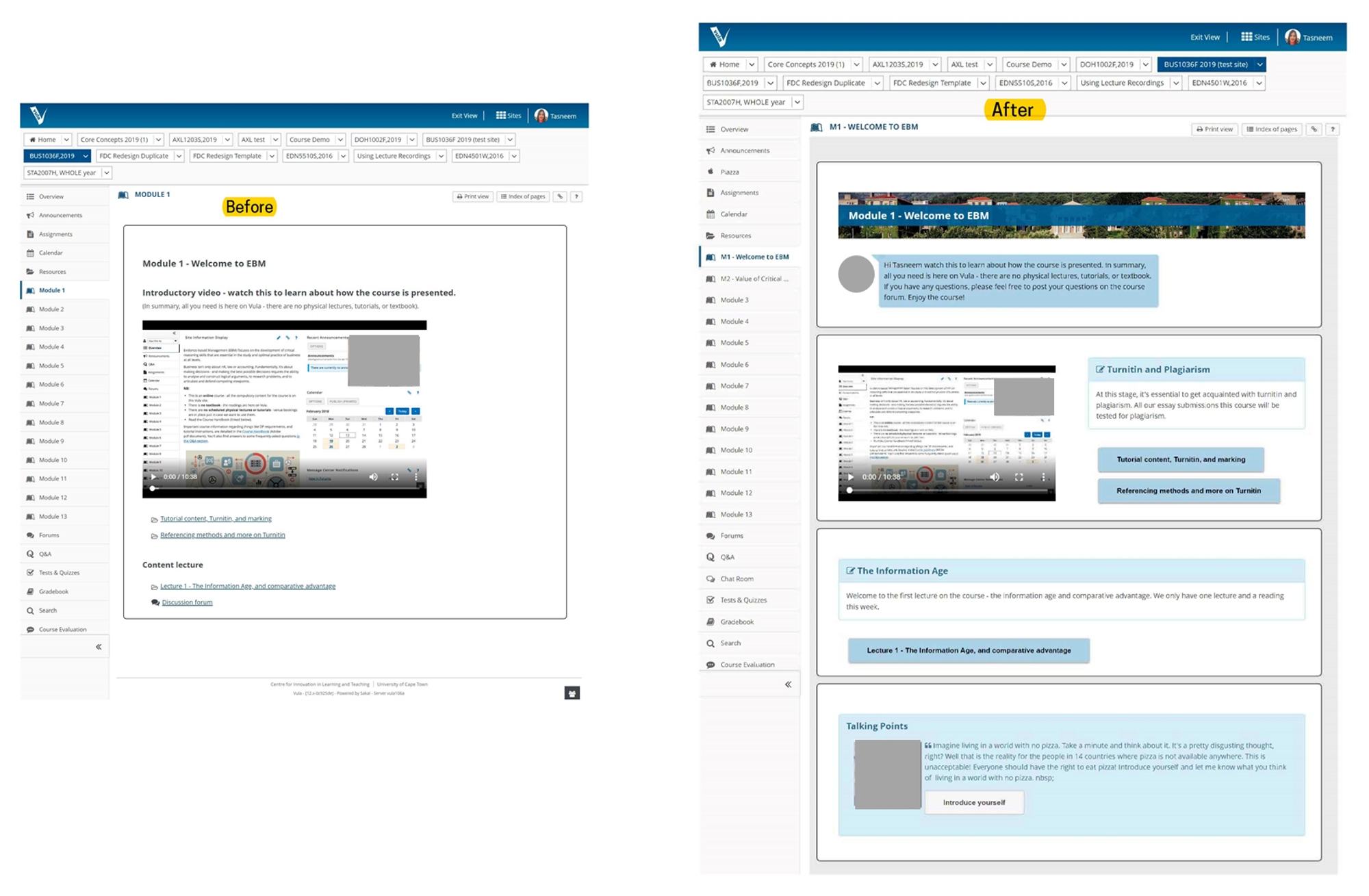
One of the challenges of creating course sites is creating a consistent and usable experience across thousands of sites authored by hundreds of staff. This project was an attempt to help staff think about creating a consistent student experience using learning pathways while also creating sites that look aesthetically pleasing.
Project overview
Developing course templates using HTML/CSS for an enhanced course structure and design to improve the student experience for thousands of learners.
How it happened
In 2019, I was in a meeting where my colleague Sam had casually shared the work of Dayton university, who had prepared aesthetically pleasing HTML/CSS templates for a Sakai-based learning platform content. In the short meeting, I implemented the template on one of our own course sites. Since I had a background in HTML/CSS from my undergraduate degree in Information Systems, I enjoyed revisiting my older talents. I changed the template’s colours and tweaked some of the code to align with my university. During the year, I implemented the template on limited course sites. The current method I had set up meant we had to manually copy and paste chunks of code to build the page. With consideration for wider concerns about the manual nature – I was still on a mission to make our sites provide a great student experience, which includes having well-structured lesson pathways and an aesthetically pleasing design.
Fast forward to the pandemic. A significant issue with our learning platform was that it was being used as a resource repository, mainly because classes were face-to-face there was seemingly no need to maximise the potential of the learning platform. While a good percentage of lecturers used the structured lessons pages, many were using them to upload (or ‘dump’) their course material to a resources folder. The issue with this method was that there was no clear guidance and learning pathway for the students on what to do (which was needed during emergency remote teaching!). Since students had little to no experience learning online, I aimed to promote how to design an intuitive learning experience easily.
Our current page design method was complex, and we needed an easier way for lecturers to set up their lessons. The original method included copy-pasting code across pages, which was not ideal for those new to source code. We had made a way to incorporate templates into the rich text editor which lecturers were familiar with. Our templates included options that would be made it easy to build a lesson. For example, the rich text editor’s template button includes prepopulated templates for *learning objectives* and *key information* which would be typically used at the start of each lesson or topic.
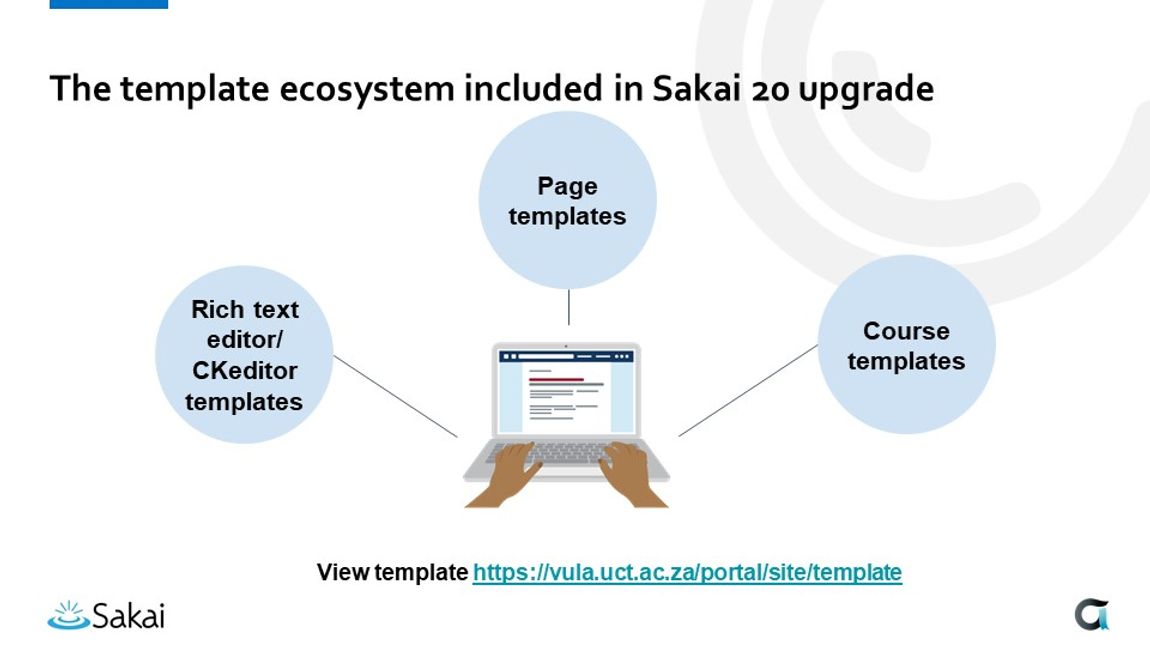
I worked with a developer in the team to code a selection of templates into our rich text editor. Once I had deployed the templates, my team prepared and hosted webinars on how to use the templates before the start of the semester. The project proved successful, with a significant uptake of lesson design from lecturers. I presented the template ecosystem for our university at the Online Sakai conference in 2020. The template ecosystem provided multiple options for template usage, with the rich text editor method being the most popular.
“Although Tasneem is a learning designer, she brings additional educational technology skills and knowledge, particularly in CSS (a programming language for style sheet presentation) and backend design of web platforms. She has been able to work with the Learning Technologies Team in a unique way combining design knowledge with technical know-how. This allowed her to work with Vula back-end programmers to design new templates for Vula lessons pages which significantly improve academics’ ability to present their material for student. She has strongly advocated for better designed Vula sites to enhance student learning and has put in hundreds of hours in redesigning Vula lessons templates and simple help documentation to aid academics to improve their online course design.” – Manager